
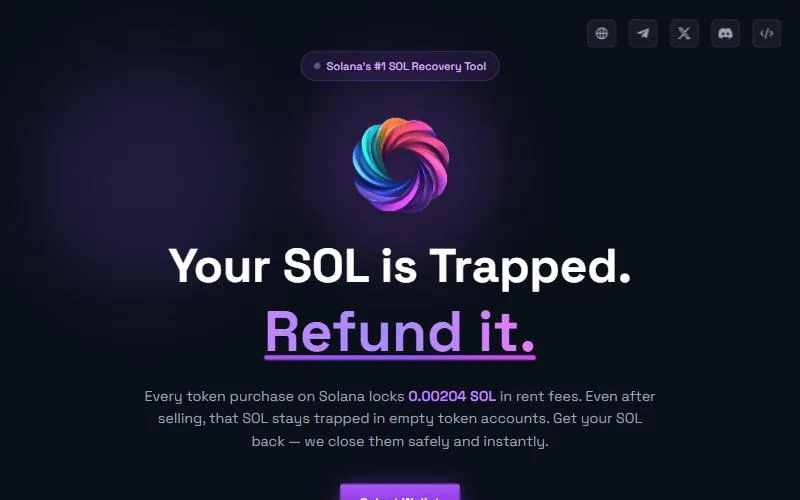
RefundYourSOL is a SOL reclaim tool built for wallets that hold zero SOL: its Fee Payer mode covers network fees, and its Safety Burns flag valuable tokens before you burn them. It scores 6.7/10, held back by a 15% default fee that only drops to as low as 1.85% if you use its fee match. The app is closed-source with no public audit, and fake copies of its domain have been reported as drainers.
Risk notice: Crypto trading is high risk and memecoins can go to zero in minutes. Trading bots use hot wallets. This page is not financial advice; only trade what you can afford to lose.
Check your wallet with our read-only SOL reclaim estimator before connecting anything. It shows how many empty token accounts you have and roughly how much SOL they hold, without a wallet connection.

What RefundYourSOL is
When you sell a Solana token, its token account usually stays open and empty with a rent deposit inside. Closing the account returns that deposit (Solana docs); a legacy token account holds about 0.00204 SOL (Solana rent explained).
RefundYourSOL lets you "close empty accounts, reclaim rent deposits, and burn dust tokens safely," with "no signup required." It says it is non-custodial, has been "active since 2025," and has processed "650,000+ wallets without security incidents" (RefundYourSOL security page). Its GitHub says it has been shipping since January 2025 and holds docs, a public API reference and an MCP server for AI agents, but states that "platform source code is proprietary."
RefundYourSOL fees
As of September 26, 2026, from RefundYourSOL's own pages:
- Default fee: "15%, taken from the recovered SOL" (security page).
- Fee match: paste a competitor's URL, such as sol-incinerator.com, into its fee-matching modal and "your fee drops to 1.85%" (fee comparison).
- Further discounts: "$RYS holder discounts" and "XP ranking bonuses can reduce fees under 1%," per its security page.
- Network fees: covered in Fee Payer mode when your wallet has zero SOL.
Its figures aren't fully consistent across pages. The GitHub profile says fee matching goes to 2.5%, and Sol Incinerator's July 2026 comparison says it is "matched down to 2%." Whatever you're promised, the number that counts is the SOL your wallet preview shows you'll receive. At 15%, 100 legacy empty accounts return about 0.173 SOL instead of about 0.2 SOL at a 2% tool.
Features
| Feature | Supported? | Source |
|---|---|---|
| Close empty token accounts | Yes | Site |
| Legacy SPL Token and Token-2022 | Yes, scans both programs | GitHub |
| Burn dust tokens | Yes, with Safety Burns | Burn guide |
| Burn NFTs | Yes | Burn guide |
| Compressed NFTs | Not documented | — |
| Zero-SOL wallets | Yes, Fee Payer mode | Security page |
| Wallets | Phantom, Solflare, Backpack, Coinbase Wallet, Ledger (via adapter) | Security page |
| Developer API | Yes | GitHub |
Safety Burns. The tool "identifies tokens with market value and warns you" before a burn, and you can toggle to permanent, irreversible burns if you want them. Its burn guide says: "If you accidentally burn the wrong token, it can be reversed in most cases" (RefundYourSOL), and recovery goes through its support team. It doesn't explain how the reversal works. A standard SPL burn destroys tokens permanently, so read the transaction to see whether tokens are burned or sent to another address.
Fee Payer mode. Useful if a bot wallet is fully drained of SOL. Sol Incinerator offers a similar fee advance, so it isn't unique.
How to use RefundYourSOL, step by step
RefundYourSOL describes a five-step flow: scan your public token accounts read-only, build the closing transactions, review the accounts and amounts, sign in your wallet, and submit (security page). With our safety checks added:
- Estimate first with the SOL reclaim estimator.
- Type refundyoursol.com yourself. Not .io, not a "migrate" subdomain, not a link from a DM or token name (clones below).
- Try a burner or low-value wallet first, or close a handful of accounts.
- Connect your wallet. Never enter a seed phrase or private key; no reclaim tool needs one.
- Use the fee match before you start if you want the lower rate, and confirm the fee shown.
- Review the list. Close empty accounts first. Only burn tokens you have identified as worthless, and keep Safety Burns on.
- Read the transaction in your wallet. It should close accounts and send SOL to you. Reject anything that sends SOL or tokens to an unknown address or changes an account's owner or authority.
- Check the result on a Solana explorer.
For bot wallets, see how to reclaim SOL from trading bots. The free CLI route is in how to reclaim SOL.
Is RefundYourSOL safe? Track record and clones
Track record. Active since 2025 by its own account, with 650,000+ wallets processed (an earlier March 2026 page said 500,000+). We found no confirmed exploit of the official app.
Audit and code. No public third-party audit, and the app's source is proprietary; GitHub holds docs and API references only.
User complaints (unconfirmed). Its Trustpilot page had 22 reviews and a 4.2 TrustScore when we checked. One November 2025 reviewer alleged tokens were burned and SOL withdrawn without permission in late October 2025. The company replied that it cannot execute transactions without user confirmation and offered Safety Burn recovery through support. Another 2026 reviewer said they burned all their tokens by mistake. Neither claim is independently confirmed.
Clone sites. Security researchers have reported drainers using its name:
- refundyoursol[.]io, which drains wallets on connection (PCrisk, updated March 2026)
- migrate-refundyoursol[.]xyz, flagged in January 2026 and offline when last checked (PhishDestroy)
The official domain is refundyoursol.com.
Pros and cons
Pros
- Fee Payer mode works when your wallet holds zero SOL
- Safety Burns flag valuable tokens before you burn
- Scans both the SPL Token and Token-2022 programs
- Says it has processed 650,000+ wallets
Cons
- 15% default fee, the highest we found, unless you use fee matching
- Closed-source app and no public audit
- Impersonator domains such as refundyoursol[.]io and migrate-refundyoursol[.]xyz have been reported as drainers
RefundYourSOL vs other reclaim tools
| Tool | Fee on empty accounts | Burns | Zero-SOL wallets | Live since | Audit |
|---|---|---|---|---|---|
| RefundYourSOL | 15% default (as low as 1.85% matched) | Tokens, NFTs, Safety Burns | Yes, Fee Payer mode | 2025 | None public |
| Sol Incinerator | ~2% | Tokens, NFTs, cNFTs, LP, domains | Yes, fee advance | Dec 2021 | None public |
| Sol-Cleaner | Not published | SPL tokens | Not documented | Not stated | None disclosed |
| Unclaimed SOL | 2% | Spam NFTs (fixed fee) | Not documented | Early 2025 | CyberScope |
Fees checked September 26, 2026 on each tool's own site. Also see Your Free SOL and Claim Your Sol. Our best SOL reclaim tools list puts RefundYourSOL third in an editors' order, not a sort by score; Sol Incinerator alternatives compares them all.
Who RefundYourSOL is for
Good fit:
- Bot or burner wallets with zero SOL left for network fees.
- Users who burn dust and want a warning before destroying something valuable.
- Wallets with both legacy SPL and Token-2022 accounts.
Look elsewhere if:
- You won't use the fee match. At 15%, Sol Incinerator (about 2%, with its own fee advance) keeps more SOL in your wallet.
- You want an audit: Unclaimed SOL has one.
Verdict
RefundYourSOL has real extras, Fee Payer mode and Safety Burns, and a large claimed user base. But its 15% default is steep, the fee-match figure varies across its own pages, and the app is closed-source with no audit. If you use it, apply the fee match, confirm the payout in your wallet, and start with a small wallet. For the trading bots that leave these accounts behind, see our Solana trading bot ranking.
We did not connect wallets to RefundYourSOL; facts come from its own pages and the sources linked, checked September 26, 2026. We earn a commission if you sign up through some links on this page.


